
Bulin 47 AI Video Generator
Failed renders are never charged.
Upload your photo on the left and click Generate.
What is Bulin 47 AI?
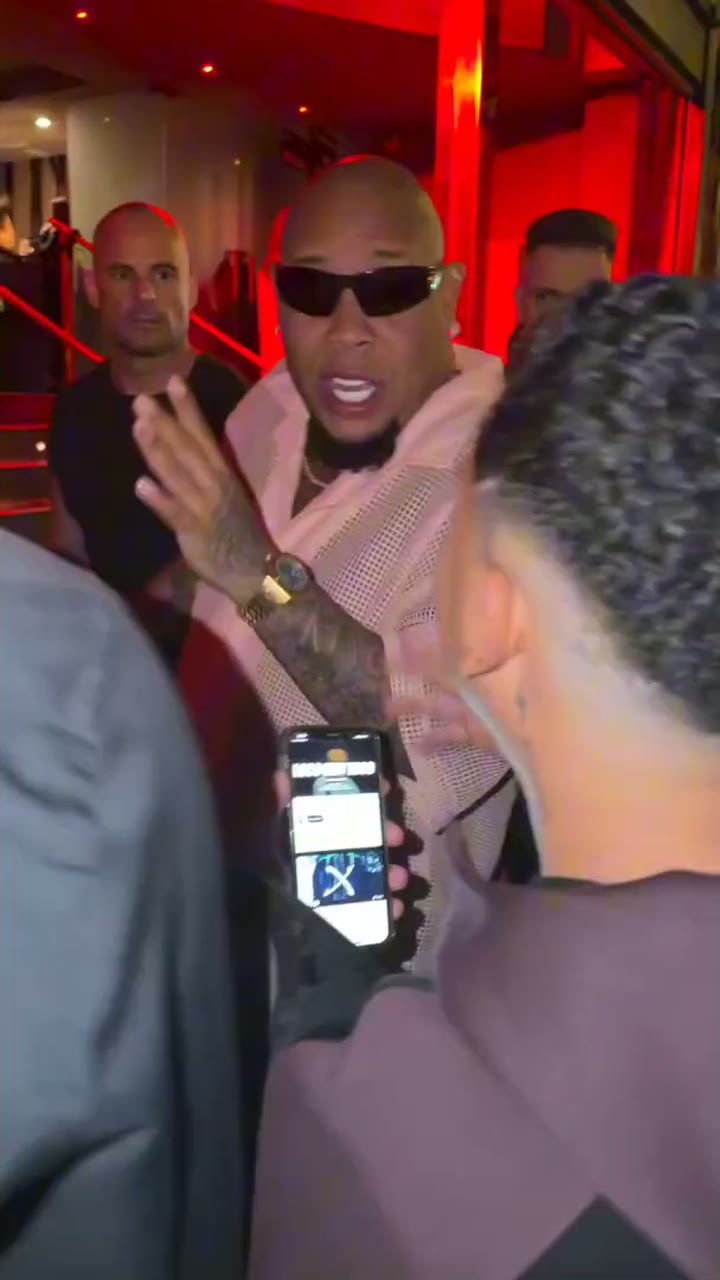
Bulin 47 AI is a one-photo video tool for the freestyle clip everyone is remaking in October 2026. In the original, content creator Kevin Wai walks up to Dominican dembow artist Bulin 47 outside a venue in Spain at night, holding a portable Bluetooth speaker and a phone, and Bulin 47 freestyles on the spot under the red light of the entrance. The clip passed tens of millions of views, and around 6 October it became an AI meme: people swap Bulin 47 for themselves, their friends or their pets while Kevin, the crowd and the sound stay. The full timeline is on the Bulin 47 AI trend page. Here the clip and the sound are already loaded: you upload one photo, and the person in it takes the rapper's place.
- One photo, the whole freestyleYour photo replaces Bulin 47 from head to hands, down to your hands and wrists. The moves, head turns, gestures and mouth timing follow the original clip.
- Kevin, the crowd and the sound stayKevin Wai with the speaker and phone, the crowd, the red-lit entrance, the handheld camera and every other frame stay exactly as in the original, and the video plays with the original sound. Only the rapper changes.
- Nothing to write or editNo prompt, no reference clip to hunt for, no timeline. Pick a photo and a length, then press Generate.
Same freestyle, new rapper
Each video started as one ordinary photo, and all six are 15-second Standard videos. Kevin Wai, seen from behind with the speaker, and the crowd at the red-lit entrance are the same in every one. Sound on.
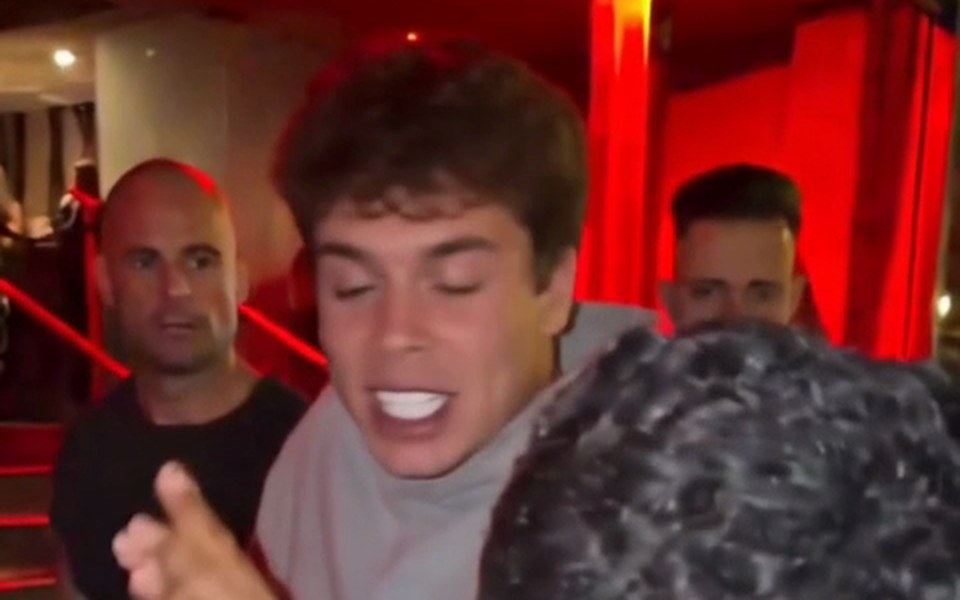
Curly hair, gray hoodie
A young man with curly brown hair in a gray hoodie takes over the freestyle, made from one ordinary photo.
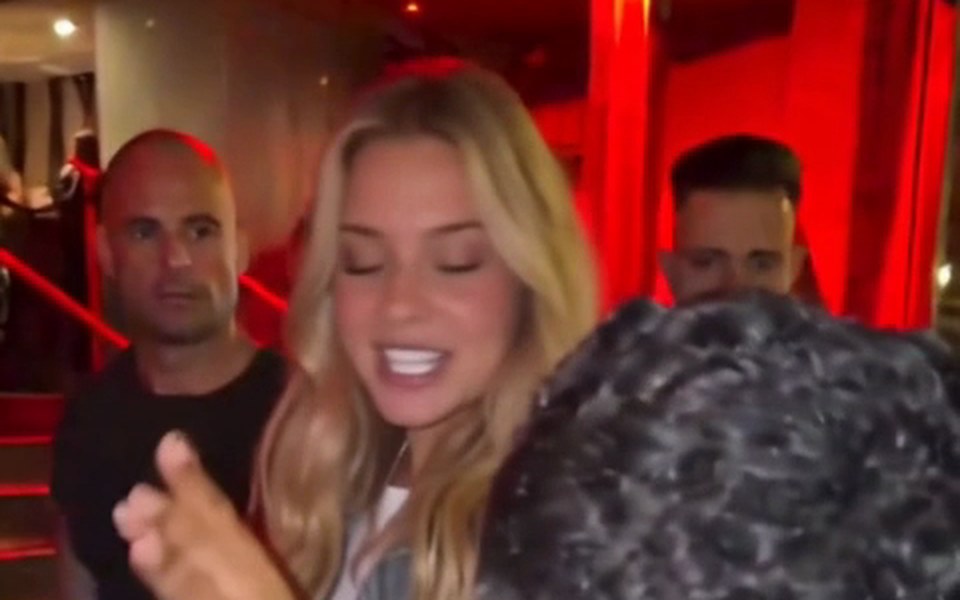
Long blonde waves
A young woman with long wavy blonde hair in a denim jacket raps straight at Kevin's phone.
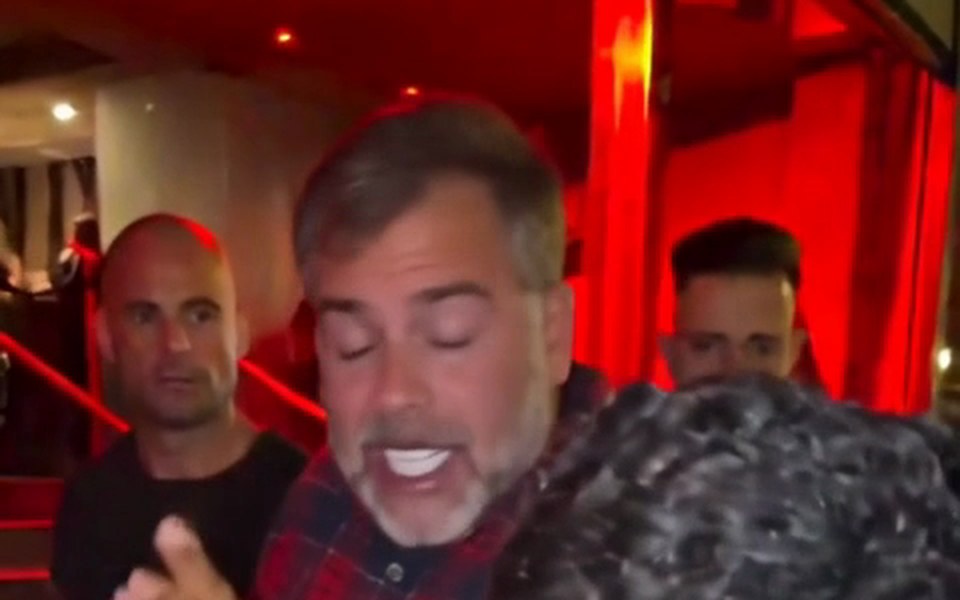
Dad in flannel
A dad in his fifties with salt-and-pepper hair and a gray beard, in a red-and-navy flannel shirt.
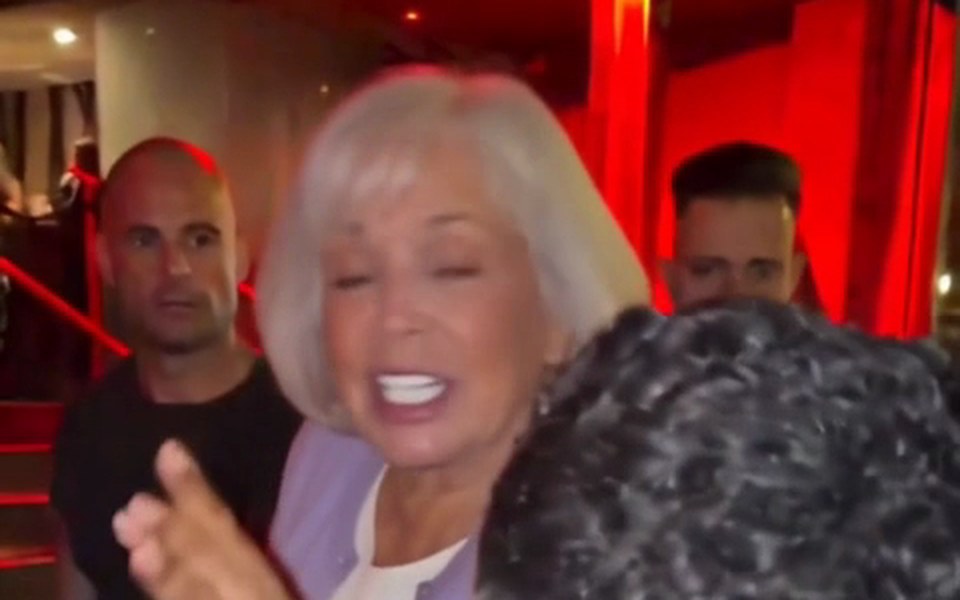
Grandma takes the mic
A grandmother around seventy with a short white bob and a lavender cardigan, on the same beats.
Black blazer, same crowd
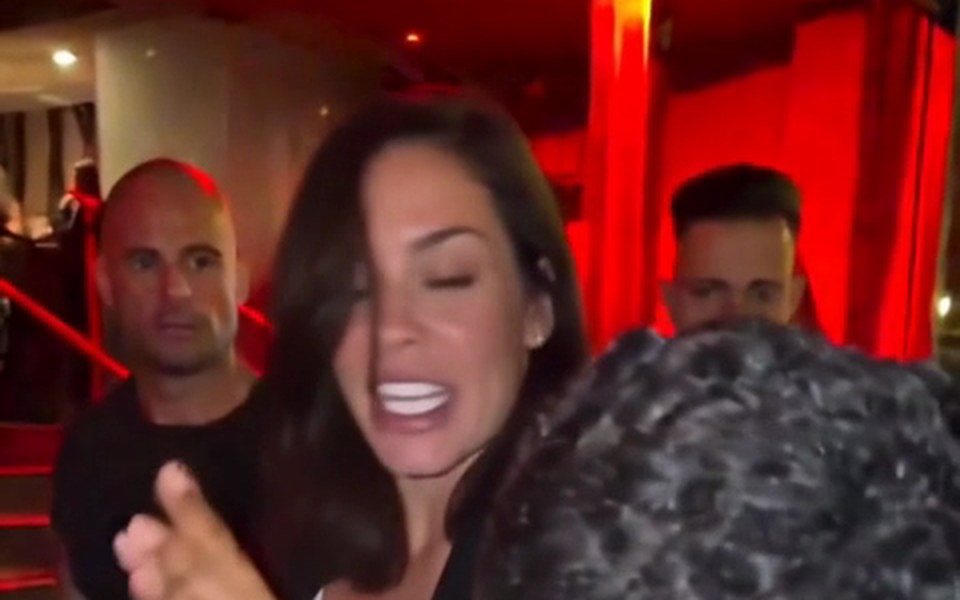
A woman in her thirties with dark shoulder-length hair in a black blazer, crowd untouched.
Bald, beard, olive tee
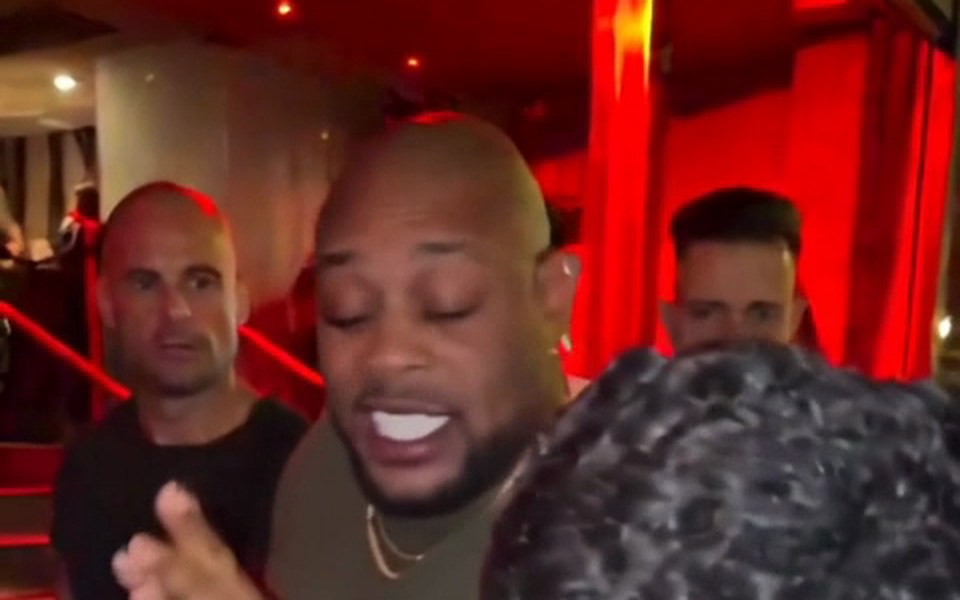
A bald man with a short beard in an olive-green T-shirt, vertical and ready to post.
The Bulin 47 AI video, second by second
Every video follows the same moves as the original clip; only the rapper changes. These frames come from a finished 15-second sample, in order.
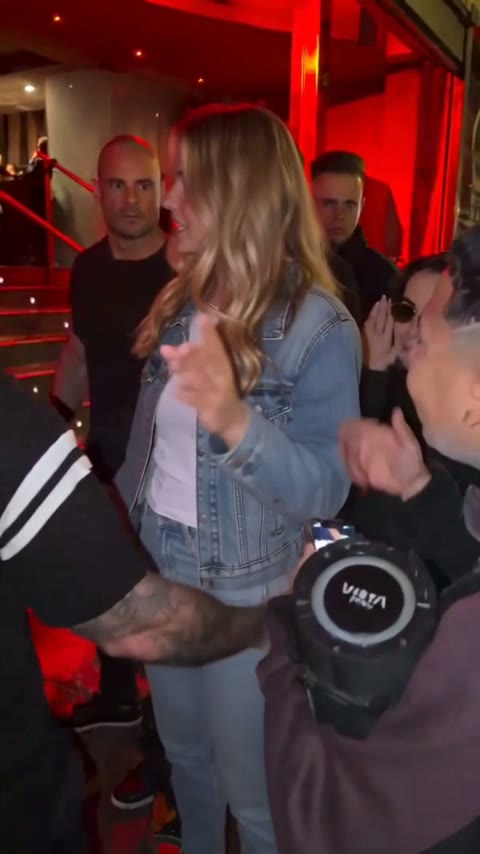
0–2 s
The turn-in
Kevin Wai holds up the speaker and his phone. The rapper, now you, squares up and starts the freestyle.
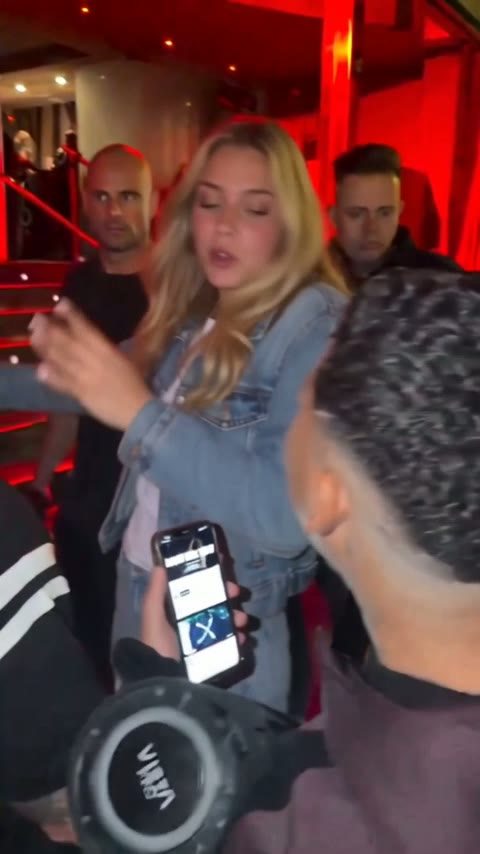
2–5 s
Rapping to the phone
Leaning in, hands working, rapping straight at Kevin's phone screen.
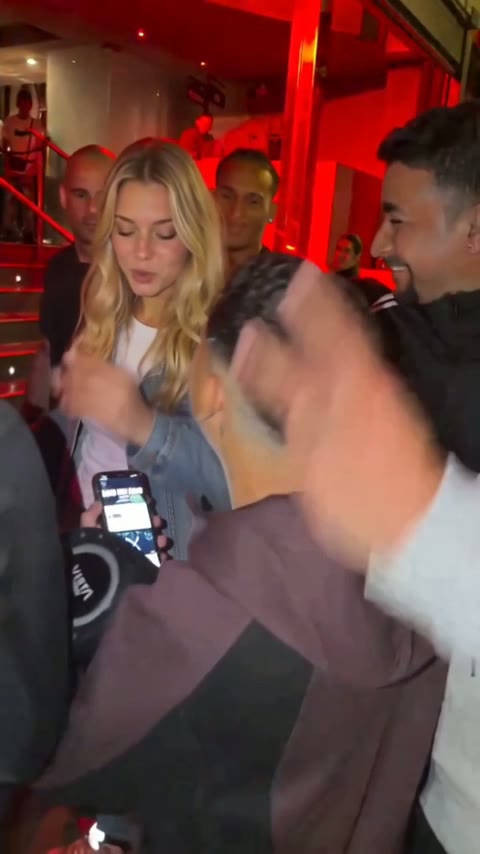
5–8 s
The crowd presses in
People crowd the doorway and a hand flies into frame while the rapper keeps going.
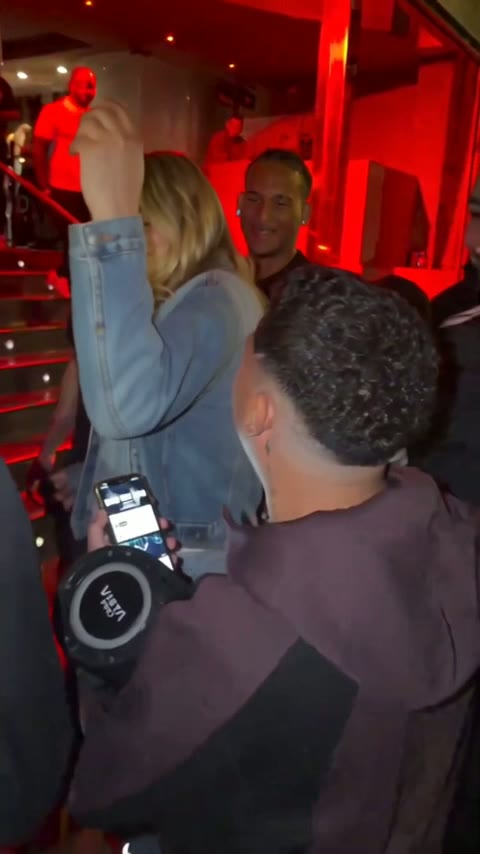
8–10.5 s
Hand on the head
A hand goes up to the head. This is the moment most people screenshot.
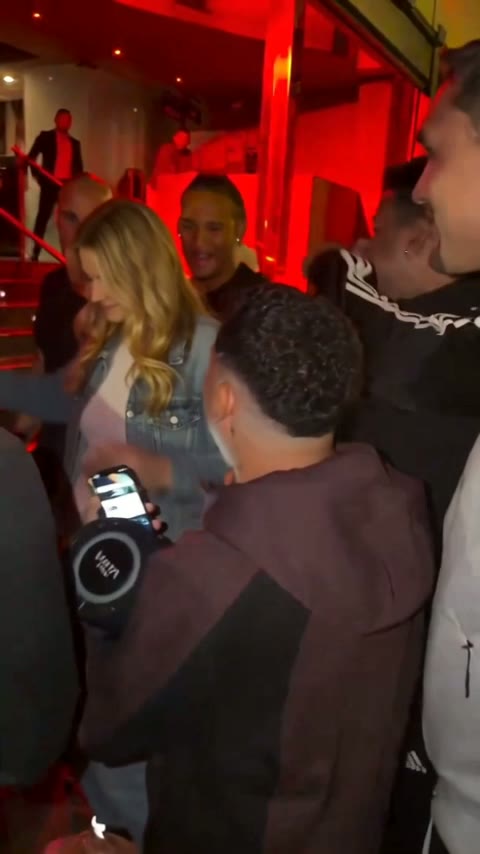
10.5–12.5 s
The grin to the side
A turn to the side, laughing with the man standing next to them.
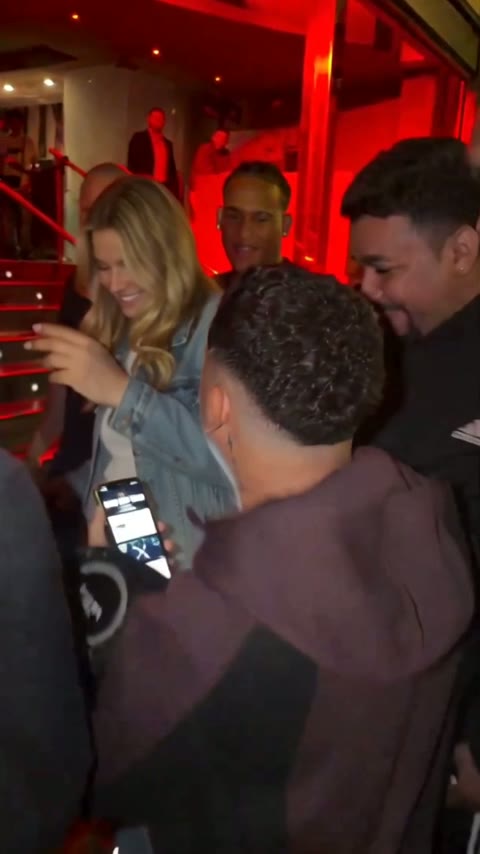
12.5–15 s
Back to the phone
Leaning back in to Kevin's phone as the 15-second cut ends. The full version keeps the freestyle going to about 30 seconds.
Why make it with Bulin 47 AI
General video tools start from a blank page; this one starts from the finished scene. That is why a Bulin 47 AI video here needs one photo and nothing else.
Full-body replacement, not a face sticker
The whole rapper is rendered from your photo: face, hair, skin tone, hands and the clothes the photo shows. The head turns toward the camera at the same moment as in the original, and the hand gestures land on the same beats.
The original sound, untouched
Every cut keeps the audio of the original clip, so the video sounds exactly like the one people already know. Ideas for who to cast are on the Bulin 47 meme page.
Failed renders are never charged
Every video is paid, but if a render fails or a photo is stopped by the filter, it is never charged and the video goes back to your balance. Trying a different photo after a failed render costs nothing extra.
How to make a Bulin 47 AI video
Three steps, about 5 to 10 minutes, any phone or desktop browser. The guide on how to make a Bulin 47 AI video covers each step in more detail.
1. Upload one photo
One person, face clearly visible, good light. A half-body shot with both hands visible works best, because the AI copies your hands too.
2. Choose length and quality
Pick 15 seconds or the full 30-second version, then Standard (480p) for phones or HD (720p) for bigger screens. You see the cost before you generate.
3. Download and post
Your video is ready in about 5 to 10 minutes. Download the vertical MP4 with the original sound and post it to TikTok, Reels or Shorts.
What you get with Bulin 47 AI
Everything the trend needs is set up in advance, like a Bulin 47 template where the only blank is your photo.
Two lengths from the same moment
15 seconds from the moment Bulin 47 turns to the camera, or the full 30-second version with almost the whole freestyle.
Standard or HD for either length
Standard at 480p is made for phones. HD at 720p is sharper on bigger screens. Both lengths come in both qualities.
Vertical 9:16 MP4
Made for TikTok, Instagram Reels and YouTube Shorts. No cropping, no export settings.
See it before you buy
Six sample videos and the second-by-second breakdown above show exactly what you get. Why there is no free plan is explained on the Bulin 47 AI free page.
No app to install
It runs in any phone or desktop browser. Upload from your camera roll and save the result straight back to it.
People work best
Pets and cartoon characters can work, with mixed results. A clear photo of a real person gives the most convincing result. Photos of celebrities or public figures are rejected by the filter.
Bulin 47 AI video generator vs other ways to make it
Three common routes and what each one asks of you. The Higgsfield Bulin 47 comparison goes deeper.
| Bulin 47 AIone photo, one button | General AI video platformsHiggsfield, Dreamina, Kling | CapCut templatesmade by template creators | |
|---|---|---|---|
| What you upload | One photo | Reference clip, photo and prompt | A photo in the CapCut app |
| Original clip and sound loaded for you | You bring your own clip | ||
| Prompt to write | |||
| Model and settings to choose | |||
| Who replaces Bulin 47 | Full body, from your photo | Depends on your clip and prompt | Usually a face overlay or cut-out |
| Lengths | 15 or 30 seconds | Your choice | Set by the template |
| Paying for a video | Monthly or yearly plan; failed renders never charged | Their own credit plans | Varies by template |
Guides for your first Bulin 47 AI video
The trend, the steps, the honest answer on free, and the other tools people try.
Bulin 47 AI trend
Where the freestyle came from and how it became an AI meme.
Bulin 47 AI video
What the finished video looks like: the original sound, two lengths, Standard or HD, and the vertical format.
How to make a Bulin 47 AI video
Step by step, with a photo checklist and posting tips.
Bulin 47 meme ideas
Who to cast and what makes a version funny.
Higgsfield Bulin 47
General AI video platforms compared with a one-photo tool.
Bulin 47 AI free
The honest answer: no free plan, what you can check before paying, and the cheapest way to one video.
Bulin 47 AI questions
What people ask before making their first one.
What is Bulin 47 AI?
Bulin 47 AI is a web tool that turns one photo into the viral Bulin 47 freestyle video. The person in your photo takes Bulin 47's place as the rapper, while Kevin Wai, the crowd, the red-lit entrance, the handheld camera and every other frame stay exactly as in the original, with the original sound.
Is Bulin AI the same as Bulin 47 AI?
Yes, they are two names for the same trend. "Bulin AI", "Bulin 47 AI" and "bulin 47 viral video" all refer to AI remakes of the freestyle Bulin 47 did for Kevin Wai outside a venue in Spain in October 2026. People simply shorten the name when they search.
What photo works best?
A clear photo of one person, face fully visible and well lit, works best. A half-body photo with both hands visible is ideal, because the AI copies your face, hair, clothes and even your hands and wrists from it. Avoid group shots, sunglasses and heavy filters. Use your own photo or one of a friend who agreed to be in the video.
Can I use a photo of a celebrity?
No, photos of celebrities and public figures are rejected by the filter, and a filtered render is never charged. Use a photo of yourself or of a friend who agreed to appear. Pets and cartoon characters may work, but results vary; people give the most reliable result.
How long are the videos?
You can make a 15-second video or the full 30-second version. The 15-second cut starts when Bulin 47 turns to the camera, the part everyone recognizes; the full version covers almost the whole freestyle. Both come in Standard (480p), made for phones, or HD (720p), sharper on bigger screens.
How long does it take to render?
A video renders in about 5 to 10 minutes, sometimes a little longer at busy times. You can leave the page while it works; the finished video is saved in your account under My Tasks. Then download the MP4 and post it wherever you like.
Is Bulin 47 AI free?
No. There is no free trial and there are no free credits, because every video uses real rendering time. You can watch the sample videos and the second-by-second breakdown before buying, and a failed or filtered render is never charged. Plans are monthly or yearly and count Standard videos; current prices are on the Bulin 47 AI pricing page.
Does the video keep the original sound?
Yes. Every video keeps the original audio of the freestyle, so it sounds exactly like the clip people already know. You do not need to find the song or sync it yourself. The file is a vertical 9:16 MP4, ready for TikTok, Instagram Reels and YouTube Shorts.
Do I need to download an app?
No. Everything works in a phone or desktop browser, so there is nothing to install. On a phone you can upload a photo from your camera roll, wait about 5 to 10 minutes, and save the finished MP4 straight back to it before posting.
Is this the official Bulin 47 app?
No. Bulin 47 AI is an independent fan project with no affiliation to Bulin 47, Kevin Wai or their labels. For the artists themselves, look up "Dame Hombro", the official song Bulin 47 and Kevin Wai released on 8 October with a music video on YouTube.
Your Bulin 47 freestyle is one photo away
One photo in, one video out, with the original sound. Failed renders are never charged.